Remotion Prompts for Claude Code
Remotion turns React components into real video files, which makes it a natural fit for Claude Code: the scene is code, so every word, color and timing stays editable. Every animation in the library has a Remotion version of its prompt, written so that each frame is computed from the timeline and renders exactly the same every time.
- Written in
- React and TypeScript
- License
- Free for individuals and companies of up to 3 employees
- Exports
- MP4, WebM, ProRes and more
- Transparent
- WebM or ProRes 4444
Set up Remotion with Claude Code in 5 steps
Step 1: Install Node.js and Claude Code
Install Node.js, then Claude Code with its official installer. Claude Code needs a paid Claude plan or an Anthropic Console account; the free Claude plan does not include it.
macOS, Linux or WSL curl -fsSL https://claude.ai/install.sh | bashWindows PowerShell irm https://claude.ai/install.ps1 | iexStep 2: Create a blank Remotion project
Remotion’s own command creates an empty project in a new folder, ready for a coding agent.
Terminal npx create-video@latest --yes --blank my-video cd my-videoStep 3: Add the Remotion Agent Skills
Remotion maintains official Agent Skills that define best practices for Remotion projects. Install them once, inside the project folder.
Terminal npx remotion skills addStep 4: Start Remotion Studio, then Claude Code
Run the preview in one terminal. Open a second terminal in the same folder, start Claude Code and paste the prompt you copied with Remotion selected under Build with.
Terminal npm run devIn a second terminal, inside my-video claudeStep 5: Approve the stills, then render
Every prompt asks Claude to show you three still frames before it renders anything. When they look right, render from the Render button in Remotion Studio or from the terminal: the MP4 lands in the out folder.
Terminal npx remotion render
Animations you can build with Remotion
Full libraryEvery animation in the library has a Remotion version of its prompt: choose Remotion under Build with on the animation page before you copy it.
 Step chain with lime arrowsProcesses
 Ticked checklist with 3D cameraLists & steps
 Glowing button word clickInterfaces
 Follower count with portrait haloKey numbers
 Giant toggle switch wordInterfaces
 Feature pills stackLists & steps
 Giant number chapter cardChapter titles
 Circled calendar dateHooks & titles
 Stop and start traffic lightComparisons
 Punch word on concentric ringsKinetic type
 Share button call to actionCalls to action
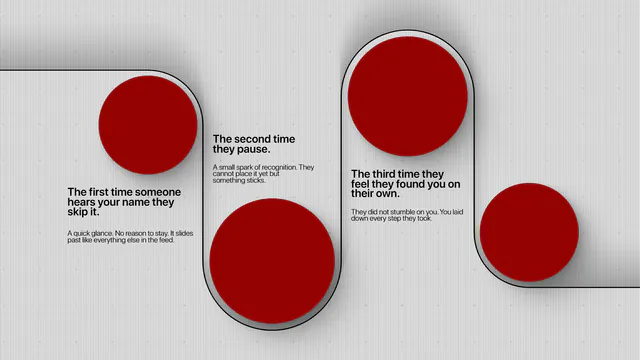 Winding path stepsProcesses
 Words on a 3D grid road3D camera
License notes
Remotion is not open source in the usual sense: it ships under its own license. It is free, including for commercial videos, if you are an individual, a for-profit organization with up to 3 employees, a non-profit, or still evaluating it. Other for-profit companies need a paid Company License from Remotion.
The license file also announces a slightly different license for Remotion 5.0, which will count contractors toward team size. Check the current terms before you use Remotion for a client or an employer.
What you may do with our prompts, and with the videos you make from them, is covered on our license page.
Export: MP4 and transparent background
A plain render gives you an H.264 MP4, the format every editor and platform accepts. For an overlay, ask Claude to remove the night-blue background from the scene, then render with transparency: ProRes 4444 is the safer choice for Premiere Pro, DaVinci Resolve and Final Cut Pro, and WebM with an alpha channel suits the web.
npx remotion rendernpx remotion render --image-format=png --pixel-format=yuva420p --codec=vp8npx remotion render --image-format=png --pixel-format=yuva444p10le --codec=prores --prores-profile=4444Questions
- Is Remotion free?
- Yes for individuals, for-profit organizations with up to 3 employees, non-profits and anyone still evaluating it, including for commercial videos. Other for-profit companies need a Company License. Read the official license before using it for a client or an employer.
- Do I need to know React to use these prompts?
- No. Claude Code writes the React code for you. You only need to run a few commands in a terminal, and Remotion Studio lets you scrub through the timeline to check the result before you render.
- Can Remotion render a video with a transparent background?
- Yes, as WebM with an alpha pixel format or as ProRes 4444. Ask Claude to remove the scene background first, then use one of the transparent render commands on this page.
- Is this site affiliated with Remotion?
- No. Remotion is developed by Remotion AG. This site is independent and writes prompts that work with Remotion.
Guides
Official documentation
- Remotion with Claude Code (opens in a new tab)
- Remotion Agent Skills (opens in a new tab)
- Rendering transparent videos (opens in a new tab)
- Remotion license (opens in a new tab)
- Claude Code setup (Anthropic) (opens in a new tab)
Setup, license and export notes checked against these pages on November 24, 2026. Tools change: when in doubt, the official documentation wins.
Other ways to build
Every animation comes with a prompt for Remotion, HyperFrames and plain HTML. Each tool page covers setup, licensing and export.
- HyperFrames prompts
HTML compositions rendered to video, open source.
- HTML animation prompts
One self-contained file that plays in any browser.