Follower count with portrait halo
A round portrait opens inside glowing rings while the audience number shimmers in, then a cursor picks a glowing pill in a list.
Key numbers4–6 s16:9, 9:16, 1:1Build with Remotion, HyperFrames or HTML
Your prompt
Your prompt is ready
Leave your email to see it and copy it. Free during launch.
Paste it into Claude (Claude Code works best). It builds the scene and shows you 3 still frames before rendering. How to use it
About this animation
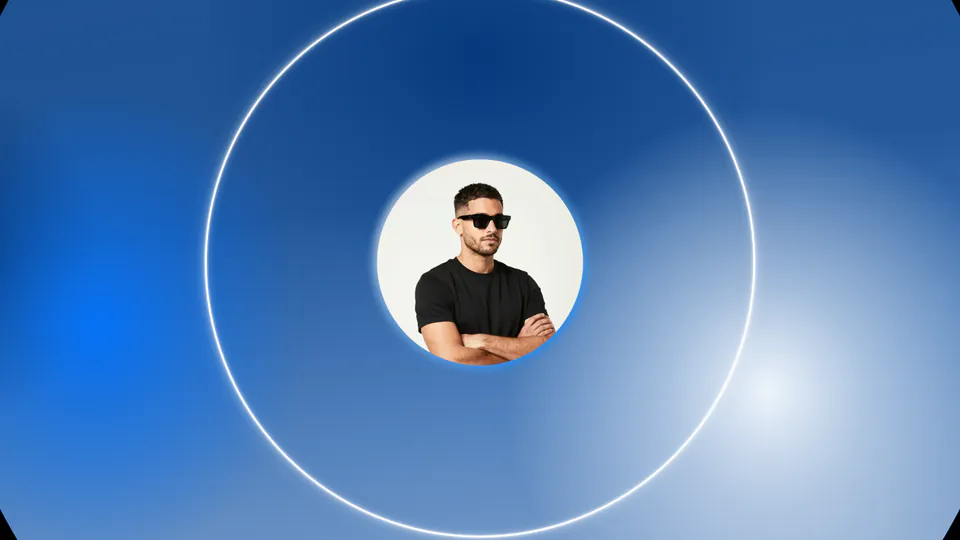
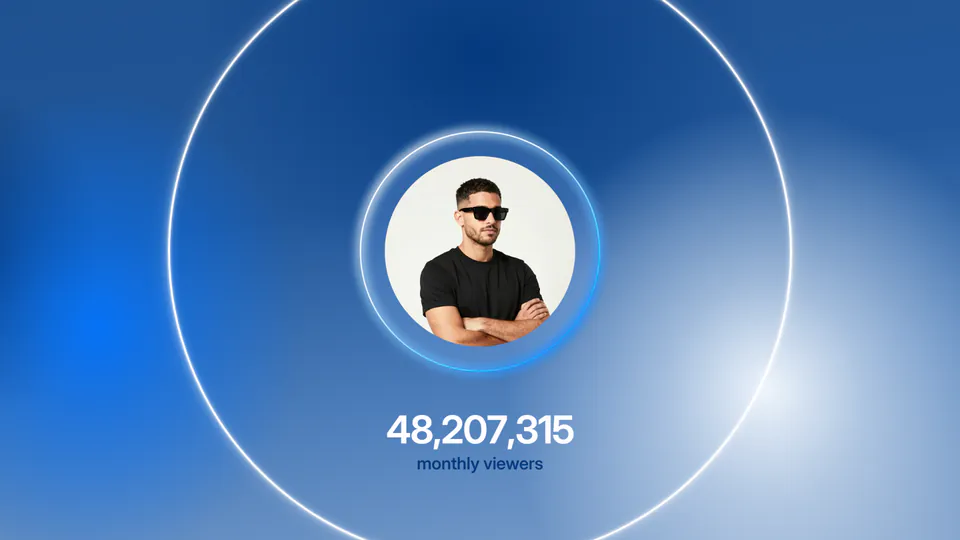
Big audience numbers deserve a moment of their own. This scene builds one around a face: a round portrait sits at the center of a bright blue world, framed by a glass halo ring and a huge glowing white circle, while the figure underneath (48,207,315 in the example) sharpens out of a blur letter by letter with a soft flicker, followed by a small dark blue caption. It reads like a profile card brought to life: clean, luminous and easy to read on a phone screen.
Every key comes from a professional After Effects edit and shares one very deep ease, almost still at both ends and very fast in the middle. The scene cuts in while the blue disc is already opening out of black, the outer ring and the portrait settle, the halo grows out from behind the photo, the number and its caption rise into place while their letters flicker on, and the whole design lifts slightly at the end. Swap in your own number and caption, choose landscape, vertical or square, and the prompt hands Claude the working code for Remotion, HyperFrames or a plain HTML file.
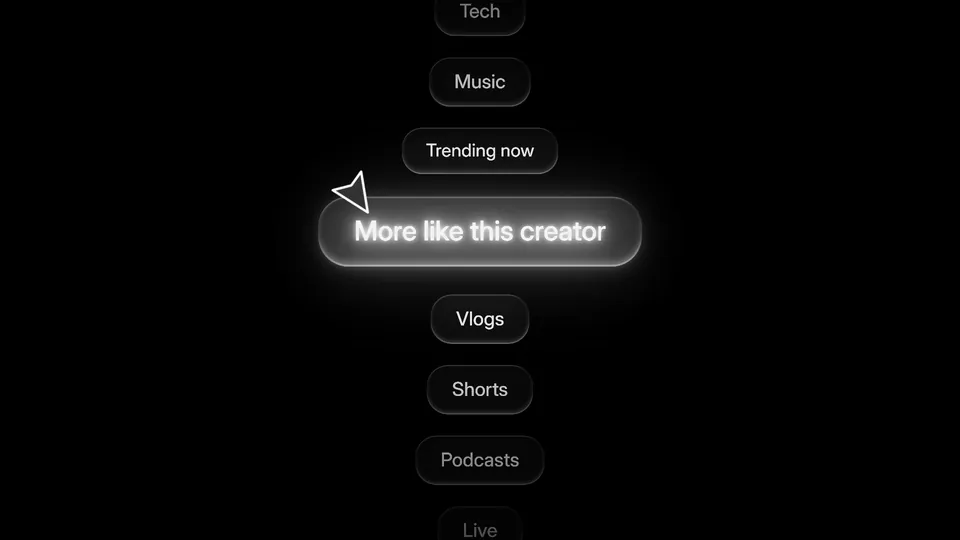
Then the scene cuts exactly where the original edit does, to a column of dark glass pills on black. The pill under the cursor shrinks back into the list while the gaps close up, the cursor glides down to the next pill, turning as it goes, and that pill grows to the front and flares with a white glow just as the whole list starts pushing in on it. The pills and the cursor are the images of the original scene, so every glassy edge and soft shadow is the real one, and each pill stretches to fit your words.
Scene timeline
Second by second, with the example content. Timing adapts to your text.
- 0.0 s
The disc opens out of black
The scene cuts in while a blue disc centered on the portrait is already growing over black; it reaches the corners of the frame in about half a second. The large white ring and the portrait, still at 125 percent, settle on the same deep curve.
- 0.6 s
The number rises and flickers on
The figure rises from 220 pixels below its place. It fades in as a whole over a second while every character flickers at random eight times per second, a flicker that dies out as it lands.
- 0.9 s
The halo grows out of the photo
A glass halo ring, hidden behind the portrait until then, grows past its edge and reaches its final size at 1.8 seconds, when the outer ring and the portrait settle too.
- 1.0 s
The caption follows
The dark blue caption rises and flickers on the same way, faster, and is fully readable at 1.6 seconds.
- 1.0 s
The design lifts
Everything starts lifting by about 110 pixels on the same deep curve.
- 2.0 s
Hard cut to the pill list
Exactly as the original edit continues: a hard cut to a column of dark glass pills on black, fading into the dark at the top and bottom. The pill under the cursor is still large, and the gaps between the pills close up on the same deep curve.
- 2.04 s
The cursor moves to the next pill
The highlighted pill shrinks back into the list while the cursor glides down to the pill below it, turning and growing as it goes, and that pill grows to the front.
- 3.46 s
The picked pill lights up
A white glow flares on the picked pill and fades again while the whole list starts pushing in on it. With Transition out the shot cuts at 3.96 seconds, as in the original edit; with Hold the last frame the push finishes and the image holds until 6 seconds.
Frames from the scene
Entrance, middle and final hold, with the example content.
What you can customize
- Pills
- Write the pill under the cursor at first, the pill it picks, and eight other pills separated by commas: the first three sit above, the other five below. Each pill stretches to fit its words; a very long text in the two pills that grow is set a little smaller, so they always stay inside the frame, even in vertical.
- Ending
- Transition out cuts at 3.96 seconds like the original edit. Hold the last frame lets the final push finish and keeps the picked pill on screen until 6 seconds.
- Number
- Type it exactly as it should read, with commas, a plus sign or a unit (48,207,315, 2.4M+, 98%). Long figures shrink to fit and never wrap onto a second line.
- Label
- A short caption under the number, in dark blue: monthly viewers, subscribers, students, downloads. Around 35 characters at most.
- Photo
- The prompt asks Claude to use your own portrait, cropped into the circle. A square, well-lit shot on a plain light background, face in the upper half, works best.
- Format
- Landscape 1920 × 1080 by default; vertical 1080 × 1920 is the original layout. Landscape and square scale the design down and frame its final position, and the blue disc still covers the corners.
- Build tool
- Remotion, HyperFrames or one HTML file: the scene, the timings and the easing curve stay identical.
Best for
Subscriber and follower milestones
Celebrate 100K subscribers, a million followers or an artist's monthly viewers with the person's face in the middle, a strong beat for a channel update or a sponsor slide.
Guest and creator introductions
Introduce a podcast guest, a client or a collaborator by pairing their portrait with the one figure that proves their reach, before the interview starts.
Case studies and social proof
Show the audience a brand or a client has built, in a vertical Short or a landscape explainer, without drawing a single chart.
How to use it
Customize
Change the text, the color, the format and the tool in the panel above. The live preview follows as you type.
Unlock
Leave your email once to reveal the full prompt and copy it. It is free during launch.
Paste into Claude Code
Start Claude Code in a project folder (npx create-video for Remotion, npx hyperframes init for HyperFrames, any empty folder for plain HTML) and paste the prompt. Claude writes the scene with your content.
Check the 3 frames
Before any render, Claude shows you three still frames: the end of the entrance, the middle of the hold and the moment just before the exit. Ask for fixes until they match the preview.
Render
Approve and let Claude render the video: an MP4 to upload, or a transparent WebM or ProRes 4444 file for your editor. A plain HTML scene is captured frame by frame with a headless browser and FFmpeg.
Pro tips
- Shoot or pick a photo against a plain white or light grey wall: the portrait circle is meant to glow against the blue, and a busy background fights with the halo.
- Write the number the way a viewer would say it. Rounded figures such as 2.4M read faster on a phone than a full nine-digit count.
- Keep the caption lowercase and short, as in the example: it explains the number, it is not a second headline.
- Add a soft whoosh as the disc opens, a light shimmer when the digits appear, a whoosh on the cut to the pills at 2 seconds and a click when the picked pill lights up at 3.5 seconds.
Questions
Can I use my own face or a client's photo?
Yes. The preview uses an AI-generated model, and the prompt tells Claude to place the photo you provide inside the circle. Make sure you have the right to use the person's image.
Why does the number appear letter by letter?
The whole line fades in while every character flickers at random, eight times per second, with a flicker that dies out as it lands, so the figure feels locked in rather than simply faded on.
Which font does it use?
The original design uses a semi-bold geometric grotesque. The prompt asks for Articulat CF DemiBold if you own it and otherwise uses Inter Display SemiBold, which is free and very close.
How long is the scene?
About four seconds with Transition out: two seconds on the portrait, then the pill list, cut at 3.96 seconds exactly like the original edit. With Hold the last frame, the final push finishes and the image holds until 6 seconds.
More animations
Browse the library


