HTML Animation Prompts for Claude Code
The plain HTML version needs no framework: Claude Code writes one self-contained file that plays in any modern browser, with every frame computed from a single render function of time. It is the quickest way to preview a scene or put it on a web page, and it can still be captured frame by frame into a video.
- Written in
- HTML, CSS and JavaScript
- License
- None needed
- Output
- One HTML file per scene
- Video
- Frame-by-frame capture with FFmpeg
Build HTML animations with Claude Code in 5 steps
Step 1: Install Claude Code
Building and previewing the HTML version needs nothing else: no framework, no project template. Claude Code needs a paid Claude plan or an Anthropic Console account.
macOS, Linux or WSL curl -fsSL https://claude.ai/install.sh | bashWindows PowerShell irm https://claude.ai/install.ps1 | iexStep 2: Create a folder and start Claude Code
Claude writes the file in the folder where it runs.
Terminal mkdir my-scene cd my-scene claudeStep 3: Paste the HTML prompt
Select Plain HTML under Build with on the animation page, copy the prompt and paste it into Claude Code. It writes a single HTML file with the stage, the styles and the animation inside.
Step 4: Open the file in your browser
Open the file in Chrome or any modern browser. The stage scales to the window and loops, so you can check the timing and ask Claude for changes in the same conversation.
Step 5: Capture it as a video
When the scene is right, ask Claude Code to capture it frame by frame with a headless browser and FFmpeg. Because every frame is computed from time, the capture drops no frames. This step needs Node.js and FFmpeg on your computer.
Ask Claude Code Capture this scene frame by frame at 30 fps with a headless browser, then encode the frames to an MP4 with FFmpeg.
Animations you can build with HTML
Full libraryEvery animation in the library has an HTML version of its prompt: choose Plain HTML under Build with on the animation page before you copy it.
 Step chain with lime arrowsProcesses
 Ticked checklist with 3D cameraLists & steps
 Glowing button word clickInterfaces
 Follower count with portrait haloKey numbers
 Giant toggle switch wordInterfaces
 Feature pills stackLists & steps
 Giant number chapter cardChapter titles
 Circled calendar dateHooks & titles
 Stop and start traffic lightComparisons
 Punch word on concentric ringsKinetic type
 Share button call to actionCalls to action
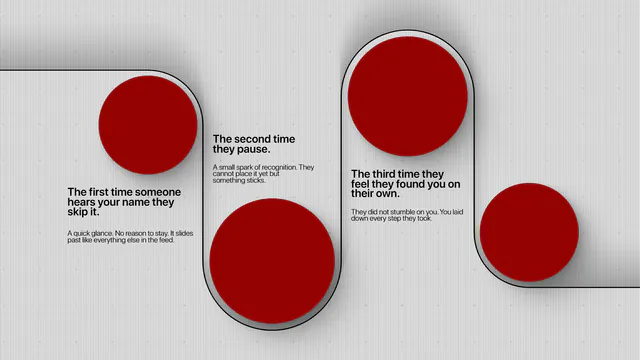 Winding path stepsProcesses
 Words on a 3D grid road3D camera
License notes
Plain HTML, CSS and JavaScript need no license and no framework. The previews and prompts use the Inter Tight font, which is free under the SIL Open Font License, including in videos. Any library or font you add yourself comes with its own terms.
What you may do with our prompts, and with the videos you make from them, is covered on our license page.
Export: MP4 and transparent background
A browser plays the file but does not export video by itself. Capture the frames with a headless browser, then encode them with FFmpeg. For a transparent overlay, ask Claude to drop the background and capture PNG frames with a transparent page, then encode them as WebM with VP9 alpha or as ProRes 4444. If you would rather render with one command, pick the HyperFrames version of the same prompt: it is HTML too, built for rendering.
ffmpeg -framerate 30 -i frames/%05d.png -c:v libx264 -pix_fmt yuv420p scene.mp4ffmpeg -framerate 30 -i frames/%05d.png -c:v libvpx-vp9 -pix_fmt yuva420p scene.webmffmpeg -framerate 30 -i frames/%05d.png -c:v prores_ks -profile:v 4444 -pix_fmt yuva444p10le scene.movQuestions
- Why choose plain HTML over Remotion or HyperFrames?
- It needs no install beyond Claude Code, opens in any browser and is easy to tweak by hand or embed on a website. Choose Remotion or HyperFrames when you want a one-command render to MP4.
- Can I turn the HTML file into an MP4?
- Yes, by capturing it frame by frame with a headless browser and encoding the frames with FFmpeg. Claude Code can write that capture script for you; you need Node.js and FFmpeg installed.
- Does the scene work offline?
- The animation runs offline, but the file loads the Inter Tight font from Google Fonts. Ask Claude to save the font next to the file if you need it to work without a connection.
Guides
Official documentation
- Claude Code setup (Anthropic) (opens in a new tab)
- FFmpeg (opens in a new tab)
- Inter Tight on Google Fonts (opens in a new tab)
- SIL Open Font License (opens in a new tab)
Setup, license and export notes checked against these pages on November 24, 2026. Tools change: when in doubt, the official documentation wins.
Other ways to build
Every animation comes with a prompt for Remotion, HyperFrames and plain HTML. Each tool page covers setup, licensing and export.
- Remotion prompts
React video, rendered to MP4 in one command.
- HyperFrames prompts
HTML compositions rendered to video, open source.