Circled calendar date
A halftone red calendar page in stop motion: the camera dives to your circled date, pulls back and the giant year decodes in front.
Hooks & titles3–6 s16:9, 9:16, 1:1Build with Remotion, HyperFrames or HTML
Your prompt
Your prompt is ready
Leave your email to see it and copy it. Free during launch.
Paste it into Claude (Claude Code works best). It builds the scene and shows you 3 still frames before rendering. How to use it
About this animation
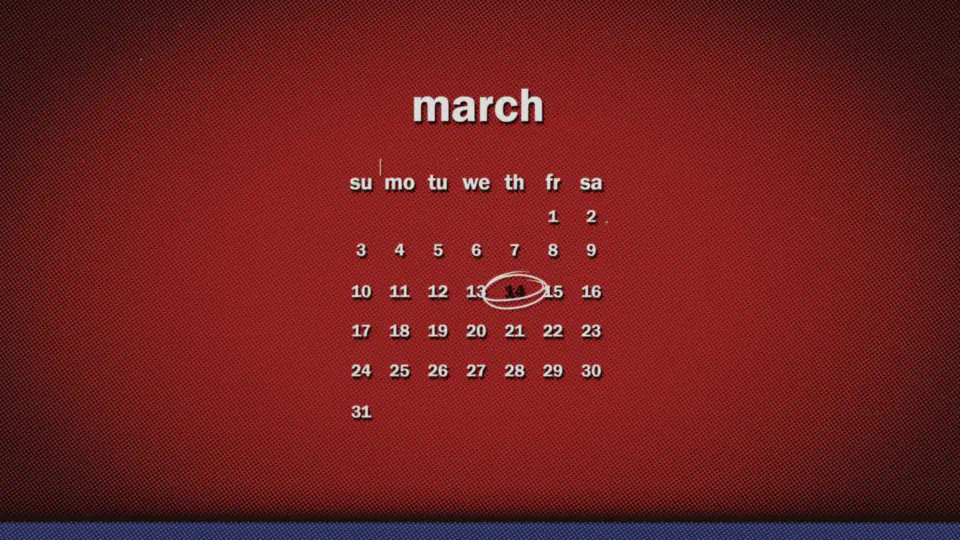
Stories that start with a date need a moment that makes the date feel important. This hook turns it into a printed object: a single calendar page in deep red paper, darker toward the edges, covered with a coarse halftone screen of soft dark dots, with the month in lowercase at the top, the days of the week, and a grid of dates split by thin pinkish-white rules. Every number carries a shadow knocked to the lower right, like ink printed slightly out of register, and that shadow prints as dots that swell and merge, exactly like a newspaper print where the paper gets darker.
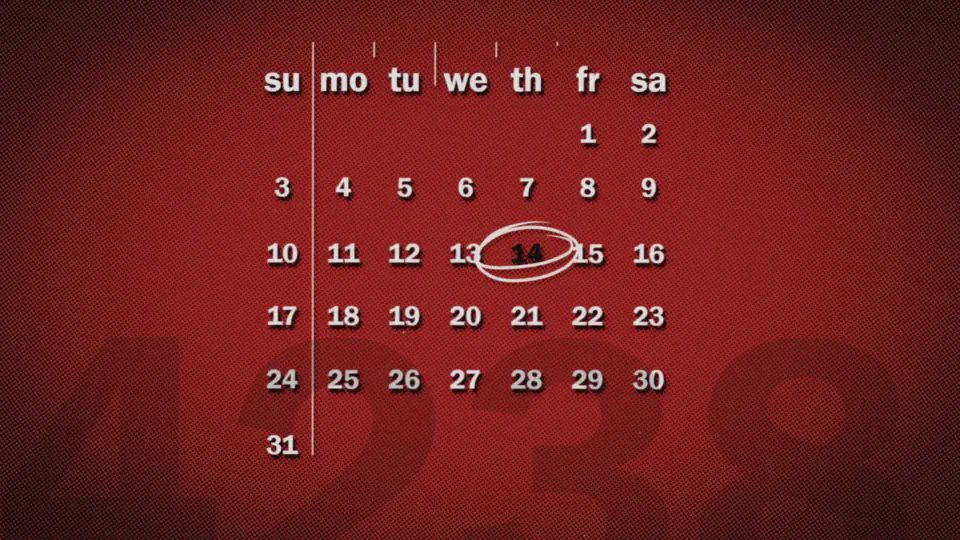
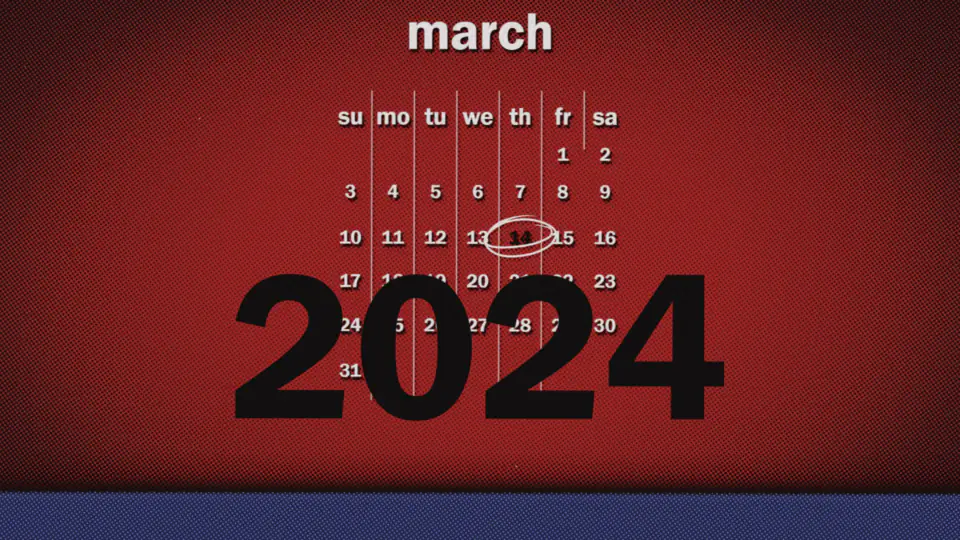
Then the story points at one day. While a real 3D camera pushes in on it, a white pen stroke circles that date by hand, twice around with a little hook inside, around a number already printed in black. The camera pulls back to the center and the year fades in front of the grid, huge and black, its digits scrambling eleven times per second before they lock one by one. Because the year floats closer to the lens than the page, it slides against the grid with true parallax and shrinks into place as the camera settles. The whole print trembles in small stop-motion steps while the camera itself glides smoothly. Type any month, year and day: the grid is rebuilt from the real calendar.
Scene timeline
Second by second, with the example content. Timing adapts to your text.
- 0.0 s
Wide shot of the page
The calendar page is printed on deep red halftone paper above a navy band, the camera slightly back from it. Everything moves in stop motion, 11 images per second, and the whole print trembles a little on every image, like paper animated by hand.
- 0.0 s
Rules and circle
Thin white rules draw down between the weekday columns, one after another until 1.3 seconds, each in about two seconds. A white pen stroke circles your date twice, a number already printed in black, and is finished before half a second.
- 0.5 s
Dive toward the date
The camera dives toward the circled day, slow at first then very fast, and lands close on the grid at 0.97 seconds, with the weekday row at the top of the frame.
- 0.83 s
The year decodes
While the camera pulls back to the centered framing, the giant black year fades in in front of the grid and its characters scramble, then lock one by one in random order between 0.96 and 1.54 seconds.
- 2.3 s
Whip pan out
With Transition out, the camera pans hard to the right and carries the whole page out of the frame, then the scene cuts at 3 seconds, as in the original edit. With Hold the last frame, the camera stays centered and the image holds.
Frames from the scene
Entrance, middle and final hold, with the example content.
What you can customize
- Month
- Any month in English, written in lowercase on the page like the original. A few other languages are recognized for the grid; an unrecognized word keeps the March 2024 grid and still shows your text.
- Year
- The giant year in front of the grid, shown as typed. The grid takes the first four-digit number in it (Q3 2024 gives 2024), otherwise a two-digit year such as ’23 or 99 (2023 or 1999); text without a year, such as Q3, keeps the 2023 calendar. A longer text such as a season or a decade label shrinks so it fits the frame at rest, and the year never covers the circled date: when needed it moves below the circle, or above it without touching the weekday row.
- Circled day
- The date to circle. The grid is the real calendar for your month and year, and the camera pushes toward that day wherever it falls in the grid, always keeping the weekday row whole at the top of the frame.
- Format
- Vertical 9:16 is the original layout. In 16:9 the page stays centered and the year overflows both sides of the grid; in 1:1 the page fills more of the frame and the push keeps all seven columns in view.
- Build with
- Remotion, HyperFrames or one plain HTML file. The camera, timing, halftone and colors stay identical; only the build instructions in the prompt change.
- Anything else
- A free note for Claude, such as another paper color, a different font or a pen-scratch sound when the circle is drawn.
Best for
Story hooks that start with a date
Open a video with “On July 23, 2023…” and let the circled day carry the line: brand stories, company histories, the day something changed.
History and documentary explainers
Mark the exact day of an event before you tell what happened: a launch, a crash, a ruling, an announcement or an anniversary.
Deadlines and countdown teasers
Circle a release date, an event day or a deadline in a Short or a trailer, and hold on the year while the voice-over sets the stakes.
How to use it
Customize
Change the text, the color, the format and the tool in the panel above. The live preview follows as you type.
Unlock
Leave your email once to reveal the full prompt and copy it. It is free during launch.
Paste into Claude Code
Start Claude Code in a project folder (npx create-video for Remotion, npx hyperframes init for HyperFrames, any empty folder for plain HTML) and paste the prompt. Claude writes the scene with your content.
Check the 3 frames
Before any render, Claude shows you three still frames: the end of the entrance, the middle of the hold and the moment just before the exit. Ask for fixes until they match the preview.
Render
Approve and let Claude render the video: an MP4 to upload, or a transparent WebM or ProRes 4444 file for your editor. A plain HTML scene is captured frame by frame with a headless browser and FFmpeg.
Pro tips
- Say the date as the camera dives in, around half a second, then the year as its digits lock, around 1.5 seconds.
- Pick a day in the middle columns (tu, we, th) if you want the vertical push-in to keep most of the week around it.
- Keep the year short: four digits read instantly, while a long phrase shrinks and loses the poster effect.
- Keep Transition out to chain straight into your next shot: the whip pan ends on plain red paper.
Questions
Is the calendar grid accurate for any month?
Yes. The prompt asks Claude to compute the real weekday of the first day and the number of days for your month and year, so a month can use four, five or six rows, and a shorter grid is re-centered on the page.
Which font does it use?
Franklin Gothic Demi, the font of the original edit, at its original sizes. The prompt tells Claude where to load it from.
How is the halftone print look made?
In code, without image files: the red paper is drawn once with soft dots on a rotated grid that grow into a checkerboard where the paper gets darker, and the print shadows of the type, the rules and the circle are seen through the same dot screen, so they print as dots too. A fine grain tints the whole frame, and the whole print trembles in small steps eleven times per second.
Is the camera move real 3D?
Yes. The page and the year are two flat layers at different depths seen through one perspective camera, so the year slides faster than the grid when the camera moves, exactly like a parallax shot.
More animations
Browse the library