Process and Flowchart Animations That Explain How It Works
Step-by-step diagrams, flowcharts, timelines and cycles that build themselves in the order you explain them. Write your steps and preview the flow live, then copy the prompt to add a clear explainer scene to your video without opening After Effects.
 Step chain with lime arrowsProcesses
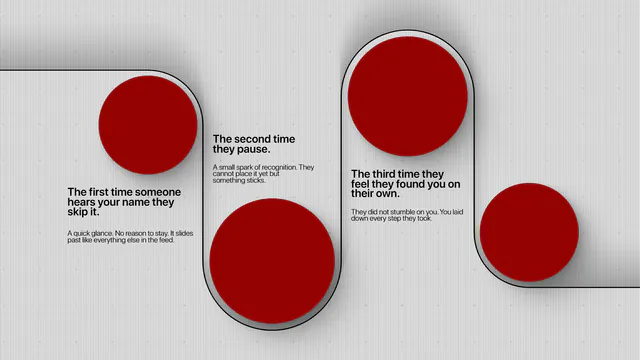 Winding path stepsProcesses
How to animate a process that viewers can follow
When to use it, pacing, design and readability.
Reach for a process scene when you explain how something works: a workflow, a funnel, a pipeline, a cycle, a sequence of events. Seeing the parts connect is often clearer than any sentence, and the diagram becomes a map viewers can come back to as you go deeper into each step.
Build the diagram in the order you speak, one step at a time, instead of showing the finished chart. Each node should appear as you name it, and the connector to the next one should draw itself just before you move on. That rhythm keeps attention on the part you are explaining and stops viewers from reading ahead.
Give each step its own beat: a slow, eased entrance, a short hold while you explain, and the next step starting before the current one has fully settled. If a step needs a long explanation, hold the diagram and highlight the active node rather than adding more elements around it.
Keep labels to two or three words and let your narration carry the detail. Use one direction of travel, left to right in landscape or top to bottom in vertical, one connector style and one accent color for the active step. Five to seven steps fit comfortably on one screen; a longer process reads better as two scenes or as a zoom from the overview into each part.
Close the scene by pulling back to the whole diagram once every step is in place. That final overview turns a sequence of moments into one picture viewers can remember, and it is the natural frame to hold while you summarize.
Questions
- What is the difference between a process animation and a list?
- A list presents separate points, while a process shows how steps connect and lead to an outcome. If the order matters and each step feeds the next, use a process; if the items stand on their own, use a list.
- Can I make an animated flowchart for an explainer video?
- Yes. Type your own steps, preview the flow and copy the prompt. Claude builds the diagram as code, so changing a label later means editing one line of text, not redrawing the chart.
- How many steps should a process diagram show?
- As few as the idea allows. Most processes read best with a handful of steps on screen; if yours has more, group them into stages or split the explanation into two scenes.
Go further
Guide · 9 min read
How to Make Motion Graphics with Claude, Step by Step
Claude writes code that draws every frame. Set up Claude Code with Remotion, HyperFrames or plain HTML, prompt a scene, check stills, then render an MP4.
Related categories
- Lists & steps
Tips, steps, rankings
2 animations
- Interfaces
Apps, tools, screens
2 animations
- Comparisons
This vs that, before / after
1 animation
Build it your way
Every animation comes with a prompt for Remotion, HyperFrames and plain HTML. Each tool page covers setup, licensing and export.
- Remotion prompts
React video, rendered to MP4 in one command.
- HyperFrames prompts
HTML compositions rendered to video, open source.
- HTML animation prompts
One self-contained file that plays in any browser.